SOFTWARE I USE
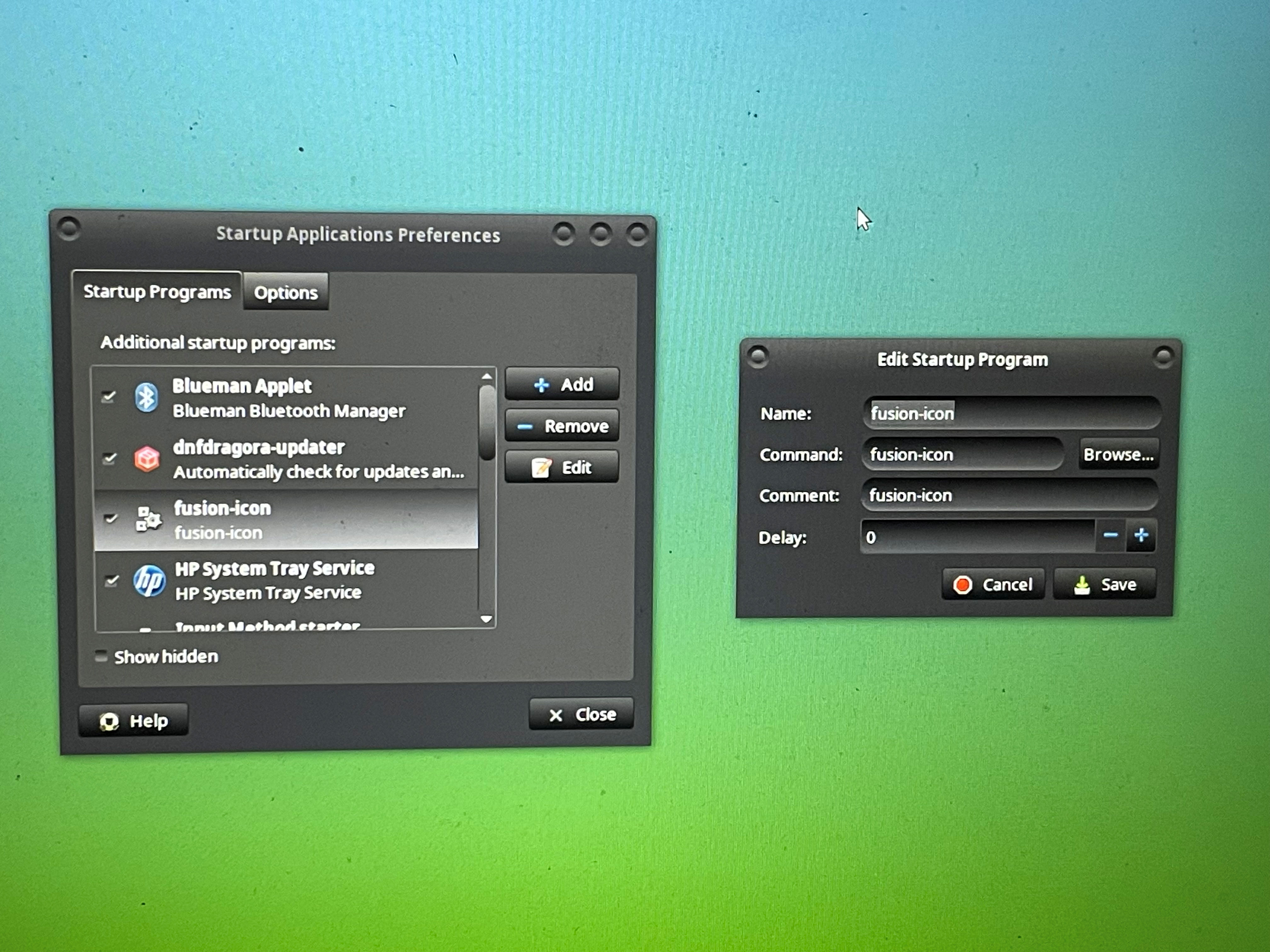
I found the easiest way to start COMPIZ automatically was to add it to START UP PROGRAMS.
From the desktop, go to the SYSTEM menu. Choose PREFERENCES, PERSONAL, then STARTUP APPLICATIONS.
Click the ADD button. You want to add fusion-icon. Simply type the information as in the picture below, then click SAVE in the small window and CLOSE in the first one.
Setting it up is EASY.
Simply go to SYSTEM, PREFERENCES, LOOK AND FEEL, then SIMPLE COMPIZ CONFIG. When the little control window opens up, click on ANIMATIONS and make sure both check boxes are checked, and click CLOSE.
All done.